
AI-Powered Application Reverse Engineering & UI-to-Code Automation | Pure Tech
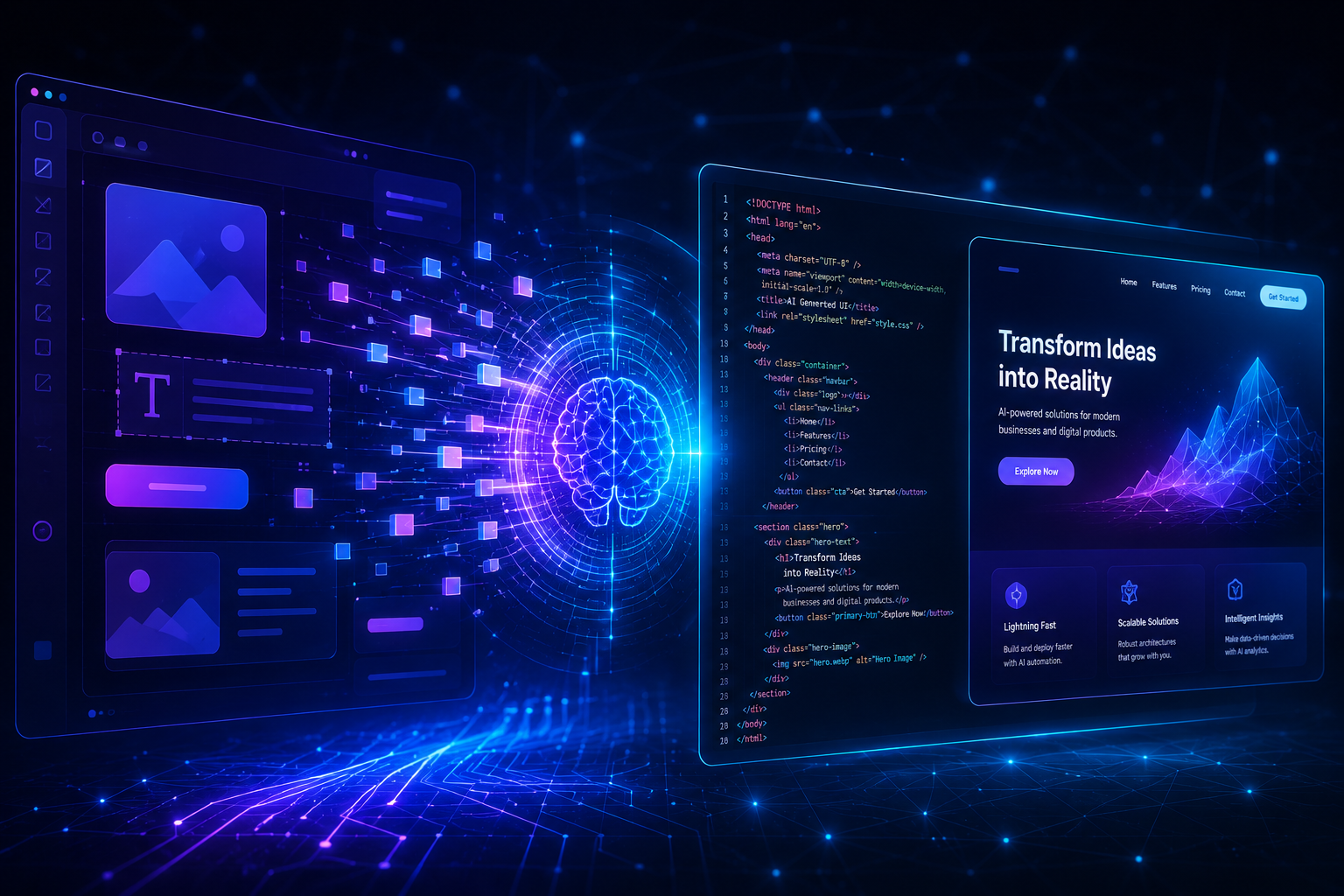
AI-Powered Application Reverse Engineering: Transforming UI into Functional Code
Introduction
Modern businesses are under constant pressure to modernize applications, reduce development timelines, and launch products faster. However, many organizations still rely on outdated systems with limited documentation, legacy interfaces, or missing source code.
This is where AI-powered reverse engineering is becoming a game-changing solution.
Using technologies like computer vision, generative AI, and machine learning, businesses can now transform application screenshots, recordings, and live interfaces into functional code, reusable design systems, and scalable digital products.
Instead of rebuilding applications from scratch, companies can now analyze existing interfaces and accelerate development using AI-driven automation.
At Pure Tech, we help organizations leverage AI-powered development workflows to modernize legacy systems, accelerate UI engineering, and improve digital product delivery.
What is AI-Powered Reverse Engineering?
AI-driven reverse engineering refers to using artificial intelligence to analyze existing software interfaces and reconstruct their structure, workflows, and frontend logic.
AI systems can interpret:
- Screenshots
- Screen recordings
- Live applications
- UI components
- Navigation flows
- Design systems
The extracted insights can then be converted into:
- Frontend code
- Interactive prototypes
- Design systems
- Component libraries
- Workflow documentation
This dramatically reduces the time required for application modernization and product development.
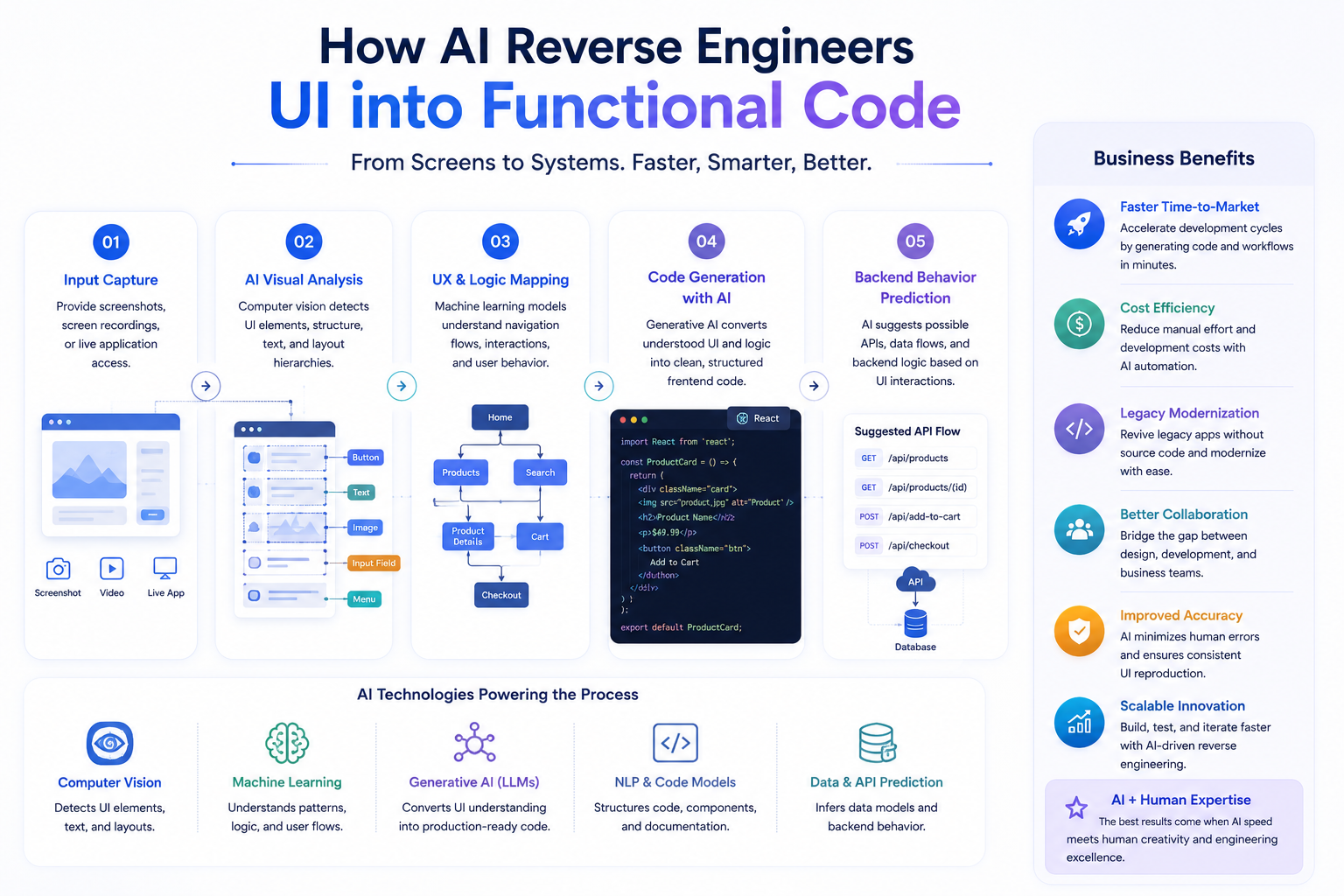
How Businesses Use AI for Reverse Engineering Applications
1. Screenshot-to-Code Generation
One of the most popular AI use cases is converting UI screenshots directly into frontend code.
Using computer vision and generative AI, businesses can transform static interface designs into working layouts built with technologies like:
- HTML/CSS
- React
- Flutter
- Vue.js
- Tailwind CSS
Business Benefits
- Faster prototyping
- Reduced frontend development effort
- Faster design-to-development workflows
- Modernization of outdated interfaces
- Rapid MVP creation
This significantly shortens product delivery timelines while reducing manual coding work.
2. Video-to-Application Workflow Analysis
AI can also analyze screen recordings and application walkthroughs to understand how users interact with software.
By studying navigation flows, interactions, and interface patterns, AI systems can reconstruct user journeys and workflow logic.
Common Use Cases
- UX research analysis
- Competitor feature analysis
- Legacy system mapping
- Workflow optimization
- User onboarding analysis
This allows businesses to extract valuable operational insights without direct access to backend systems.
3. Live Application Analysis
AI agents can interact directly with live applications to understand:
- Navigation structures
- UI components
- Page hierarchies
- User flows
- API behavior
This is especially valuable when source code or documentation is unavailable.
Key Applications
- Legacy application modernization
- Software migration planning
- Internal tool replication
- Automated usability analysis
- Functional behavior mapping
AI-powered exploration helps teams document and rebuild systems more efficiently.
4. Design System Extraction
AI can analyze applications and automatically identify reusable design patterns such as:
- Typography styles
- Button systems
- Color palettes
- Layout structures
- Component hierarchies
- Spacing rules
Benefits for Businesses
- Faster design system creation
- UI consistency across products
- Simplified rebranding projects
- Accelerated component library development
- Better collaboration between design and engineering teams
This helps organizations standardize digital experiences at scale.
How AI Converts Interfaces into Functional Code
AI-powered reverse engineering typically follows a structured workflow.
Step 1: Capturing Visual Inputs
The process begins with screenshots, interface mockups, or screen recordings that provide the raw visual data.
Step 2: Computer Vision Analysis
AI models analyze the interface and detect elements such as:
- Buttons
- Input fields
- Menus
- Cards
- Images
- Navigation structures
This creates a structural blueprint of the UI.
Step 3: UX & Interaction Mapping
Machine learning models infer user behavior patterns, navigation logic, and interaction flows.
This helps AI understand how the interface functions — not just how it looks.
Step 4: Code Generation
Generative AI models then transform the analyzed UI into clean frontend code using frameworks such as:
- React
- Flutter
- Angular
- HTML/CSS
- Tailwind
This accelerates development while reducing repetitive engineering work.
Step 5: Backend Logic Prediction
Advanced AI systems may also suggest backend workflows such as:
- API structures
- Data handling logic
- Form submission behavior
- State management patterns
Although human validation is still required, this significantly speeds up MVP development.
Popular AI Tools Used in Reverse Engineering Workflows
AI Code Generation
- GPT-4
- OpenAI Codex
- Uizard
- Locofy
- TeleportHQ
Computer Vision & UI Parsing
- OpenCV
- YOLO
- Detectron2
- OCR frameworks
Workflow Automation
- LangChain
- Hugging Face
- LlamaIndex
UI Testing & Validation
- Playwright
- Cypress
- Selenium
- Storybook
These tools help businesses automate large portions of the UI reconstruction process.
The Future of AI-Driven Application Modernization
AI-powered reverse engineering is rapidly changing how organizations build, rebuild, and modernize software products.
In the coming years, businesses will increasingly use AI to:
- Convert designs directly into deployable applications
- Modernize legacy platforms faster
- Build scalable UI systems automatically
- Accelerate product prototyping
- Improve engineering productivity
- Reduce software development costs
As AI models continue improving, the gap between interface design and production-ready software will continue shrinking.
How Pure Tech Helps Businesses Accelerate Software Modernization
At Pure Tech, we help organizations modernize software systems using AI-driven engineering workflows, UI automation, and scalable product development strategies.
Our services include:
- Legacy application modernization
- AI-assisted frontend development
- UI/UX engineering
- Design system development
- Product prototyping
- AI workflow automation
- Scalable software architecture
We help businesses reduce development complexity while accelerating digital transformation initiatives.
Final Thoughts
AI-powered reverse engineering is no longer experimental technology.
It is becoming a practical business strategy for faster software modernization, UI automation, and product innovation.
Organizations that strategically combine AI automation with strong engineering expertise can dramatically reduce development timelines, improve scalability, and create better digital experiences.
The future of software development is not just about writing code faster.
It is about building smarter systems with AI-powered workflows.